
More connections. Less waiting.
Split supported file downloads across multiple connections. FID adjusts to what the server supports and can fall back to one connection.
Pick up where you left off.
Pause a transfer without losing your place. FID checks saved parts before resuming, so a changed source file doesn’t silently become a broken download.
A queue with your priorities.
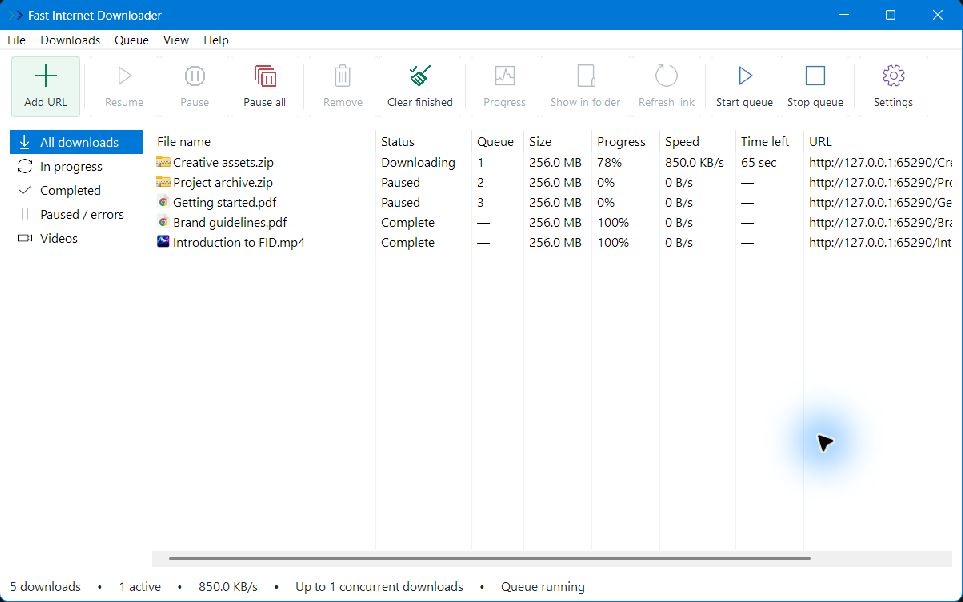
Choose what comes next. Reorder downloads, set simultaneous limits, and keep your connection from being overwhelmed.
From Chrome to your desktop.
Capture browser downloads, send a link from the context menu, or choose a video from the extension popup. You control the handoff.
The video. The quality. Your call.
Save supported videos or audio and choose from the available qualities. Use the browser’s video button or paste a page link into FID.
A fresh link. The same download.
Recover from an expired link. Get a replacement from the original page or paste it yourself, then reuse saved file parts when they still match.
Every connection, in view.
See speed, estimated time, overall progress and individual file chunks in a compact, resizable progress window.
Out of the way. Still at work.
Keep downloads running in the notification area. Check live progress from the tray menu, and optionally start quietly with Windows.
Leave some bandwidth to spare.
Set a per-download speed limit and control how many downloads run together. Keep room for a call, a game, or the rest of your day.
A place for every file.
Choose names and save folders, group files and videos, and handle duplicate names. Find completed files with Show in folder.
Now, or a little later.
Save a download for later or set a delay in minutes. FID starts eligible queued downloads while the app stays running.
Work with your browser sign-in.
Use relevant browser-session information for downloads that need it. Saved session data is protected locally by Windows.
A Windows app that feels at home.
Recognizable file icons, familiar menus, keyboard shortcuts, and a notification-area menu keep FID close to the way you already work. Close the main window and your downloads keep moving in the background.
Parallel connections can help when the server and your connection support them. Actual speeds depend on your network and the website. Resume, file sizes, video qualities, and browser handoff are also website-dependent.